




Kids Guard

Best Calendar Parental Control for Android Phones

monitor kids' Calendar with the best Calendar parental control for Android

iKidsMonitor Calendar parental control

All-in-One Parental Monitoring & Control App

Free Plan Available

tvit.png
volicity-9.png
fox-hub-2.png
towers.png
lighting.png

Keep Kids Safe on Calendar with Calendar parental control

iKidsMonitor is the best calendar parental control for Android, allowing you to track all the events, titles, and locations your kids add to their calendars.

Teens in CYBER-BULLYING
50 %

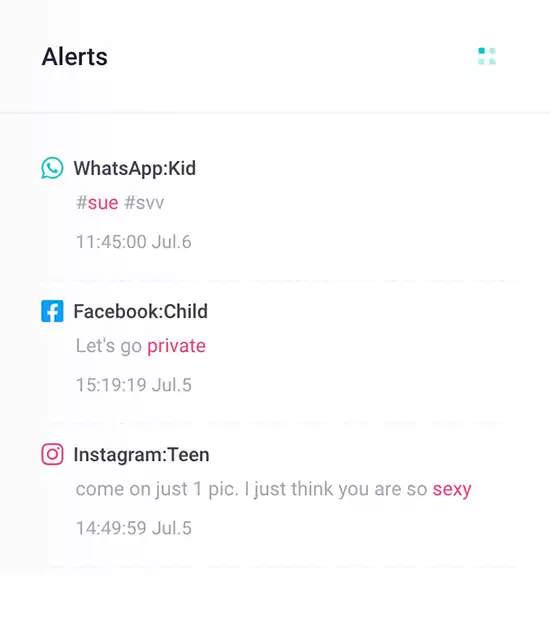
Add alert words to detect cyberbullying
65% of teens have been involved in a cyberbullying incident.

Crimes from Social Media
67 %

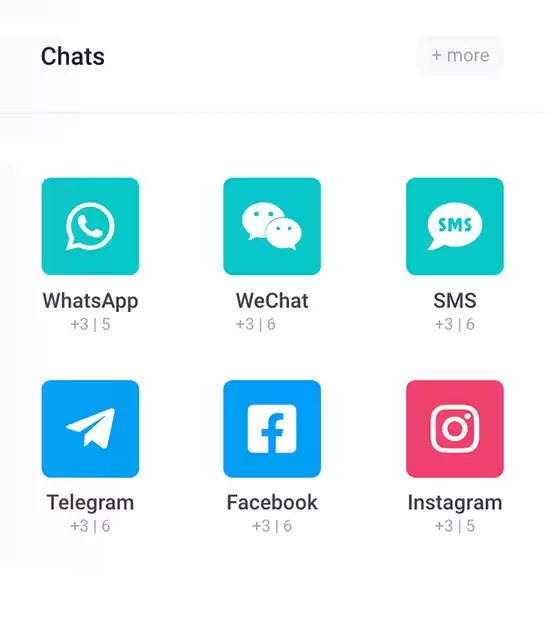
Monitor chat messages on social media App
95% of sex crimes involving a minor are initiated from social media.

Children Leak Privacy
60 %

Block inappropriate Apps
75% of children share personal information about themselves and their families online.

All-in-One Calendar Parental Control Features You Need

The iKidsMonitor Calendar parental control is a valuable tool for monitoring your kids' calendar events on their Android phones. By viewing event titles, dates, times, and locations, you can easily keep tabs on what your kids are planning. If you find any events that may indicate inappropriate activities, you can take swift action to address the issue and keep your children safe.

Remotely Monitor Calendar Events

Remotely monitor calendar events on an Android phone.

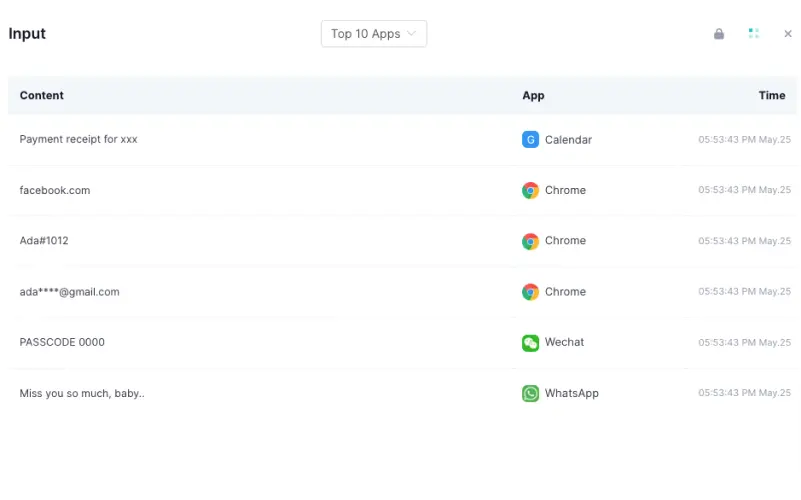
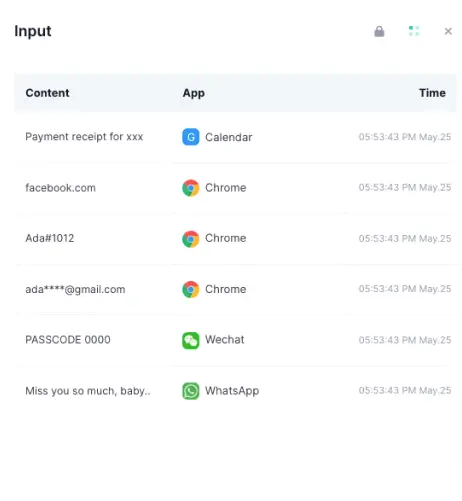
Record Typed Keystrokes on the Calendar

Record all keystrokes your kids enter into the calendar.

Capture Screenshots of Calendar Activities

Automatically capture screenshots of all calendar activities.

All-in-one Parental Control App for Android/iOs

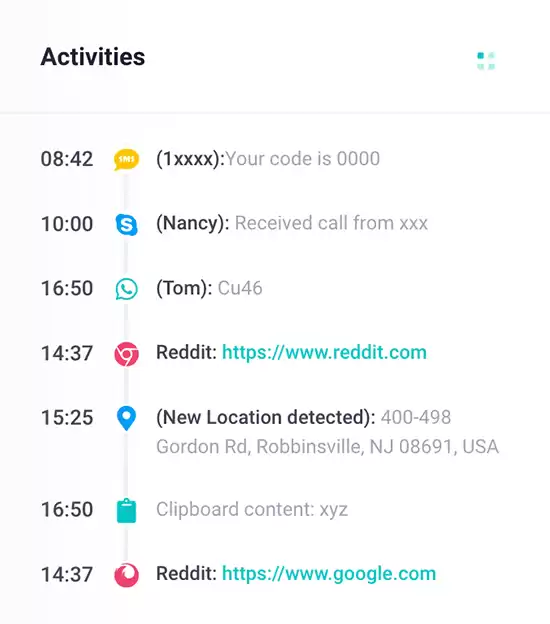
Watch the Phone Screen in Real Time

View your child's phone screen to track calendar events in real time.

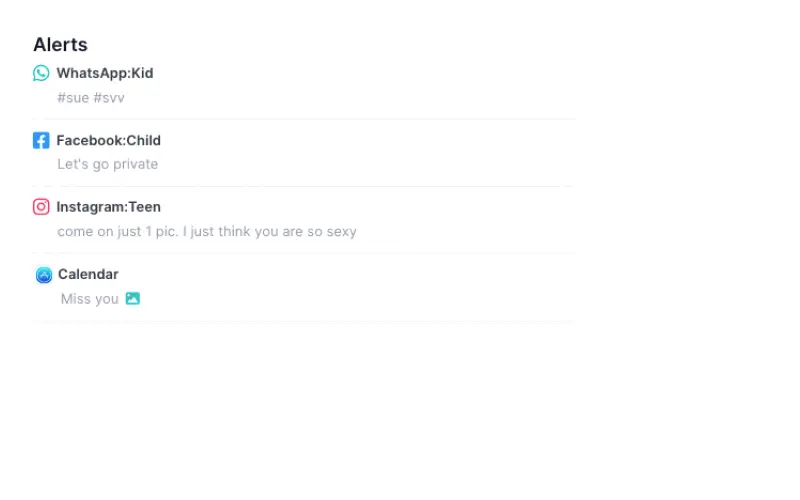
Alert on Inappropriate Calendar Content

Set alert words and receive alert notifications for inappropriate calendar messages.

Encrypt All Monitored Calendar Data

Encrypt all monitored calendar data for security.

monitor calender input with Calendar parental control

Remotely Monitor Calendar Events

With Kids Guard, you can remotely track your children's calendar events to view their study and leisure activities, such as attending summer camp, going to birthday parties, watching movies, traveling with friends, or playing video games. If you spot any signs of inappropriate or risky behavior, like gambling or conflicts with classmates, you can take timely action to address them.

Record All Typed Keystrokes on The Calendar

With the iKidsMonitor calendar parental control, you can record every keystroke your kids type on their calendars, giving you complete visibility into the events they create or modify. This feature allows you to track their plans, identify any suspicious activity, and ensure they are engaging in safe and appropriate activities.

monitor calender input with Calendar parental control

Automatically Capture Screenshots of Calendar Activities

iKidsMonitor automatically captures screenshots of your kids' calendar activities, giving you a detailed view of their scheduled events. This feature lets you monitor their upcoming plans, track any changes, and stay informed about their daily activities. With this information, you can ensure they engage in safe and appropriate activities.

Watch the Phone Screen to Track Calendar Events

Using the Kids Guard Calendar monitoring app, you can watch your kids' phone screens in real time to track their calendar events. Watching the live-screen video streams allows you to track their scheduled activities, view event details, and even recover deleted events. What's more, all recorded screen videos are automatically uploaded to your online cloud panel, allowing you to view and backup for future reference.

monitor calender input with Calendar parental control
get calendar alert with Calendar parental control

Alert on Inappropriate Calendar Content

iKidsMonitor is the best calendar parental control, allowing you to set alert keywords for inappropriate calendar content. If any of these preset keywords are detected in your children's events, you'll receive an instant notification, enabling you to address potential issues quickly.

Encrypt All Monitored Calendar Data

With the iKidsMonitor calendar tracking app, monitoring is discreet and tamper-proof. It lets you track calendar events on your children's phones and automatically uploads all monitored data to your secure cloud panel. The data is protected by a password and customizable access code, preventing unauthorized access.

monitor calender input with Calendar parental control
Full Features Showcase

Instant Feature Tour

Monitoring Calendar in 3 Easy Steps

Installing iKidsMonitor calendar Parental Control App is easy. Once installed on the target Android phone, the app automatically uploads all recorded data to your secure cloud panel. Just log in to your account to monitor your children's calendar activities remotely.

STEP TWO

LOG IN to the Cloud Panel to download Kids Guard.

STEP THREE

View the logged data on the cloud panel. Control kid's device remotely.

100 Million Users Love iKidsMonitor Calendar parental control

Tracking Calendar Events on Android Phones

I have a son who has just turned teenager, and I'm concerned about his safety when he's out. He has many friends I don't know, which makes me worry. iKidsMonitor helps me track calendar events on his Android phone so I can know and avoid any unexpected events.

Stephanie Rice
A Mother
Best Calendar parental control

I’m a father of two wonderful daughters, one 10 and the other 13. As much as I worry about something terrible happening to them, I know I can't hold them back from living their lives. With the help of iKidsMonitor calendar parental control for Android, I can rest easy, knowing I’m always informed about my daughters' whereabouts.

Alex Mutter
Expert
Ensure Kids’ Online Safety

I’m always concerned about what my kids are up to, especially as they get older. The iKidsMonitor Calendar parental control has really put my mind at ease. It lets me track their calendar events, so I always know where they’re going and who they’re with. I love receiving instant alerts if anything concerning pops up. This app has been a game-changer for me—definitely deserving of a 5-star rating!

Elenor Kamins
A Father

Frequently Asked Questions

Checkout the FAQs of iKidsMonitor Parental Control App.

Yes, you’ll need physical access to the target device to install Kids Guard. Just unlock the device using its password or passcode and follow the installation steps.

Yes, iKidsMonitor works with all modern Android phones and tablets, regardless of brand or Android version.

Yes, the iKidsMonitor Calendar parental control allows you to monitor someone’s calendar in Outlook. It tracks keystrokes entered in Outlook and captures screenshots of calendar activities.

Yes, the iKidsMonitor Calendar parental controllication lets you monitor Google Calendar by capturing screenshots of calendar activities and logging keystrokes entered in Google Calendar.

No, iKidsMonitor provides full functionality on target Android phones without requiring rooting.

To install Kids Guard, you need physical access to the device. Monitoring cannot be set up with just a phone number, IMEI, or serial number.

Start from Free →

Start from the free full plan. When signup, you will a 3-day Free Full Plan. After thant you can choose a Free basic plan or keep the full plan.

Your data is Safe →

We won't share your data to any 3-rd party. Your data is stored on a secure cloud server. You can export or delete your data anytime.

Ready to get started?

Sign up Free Now - No credit card required.